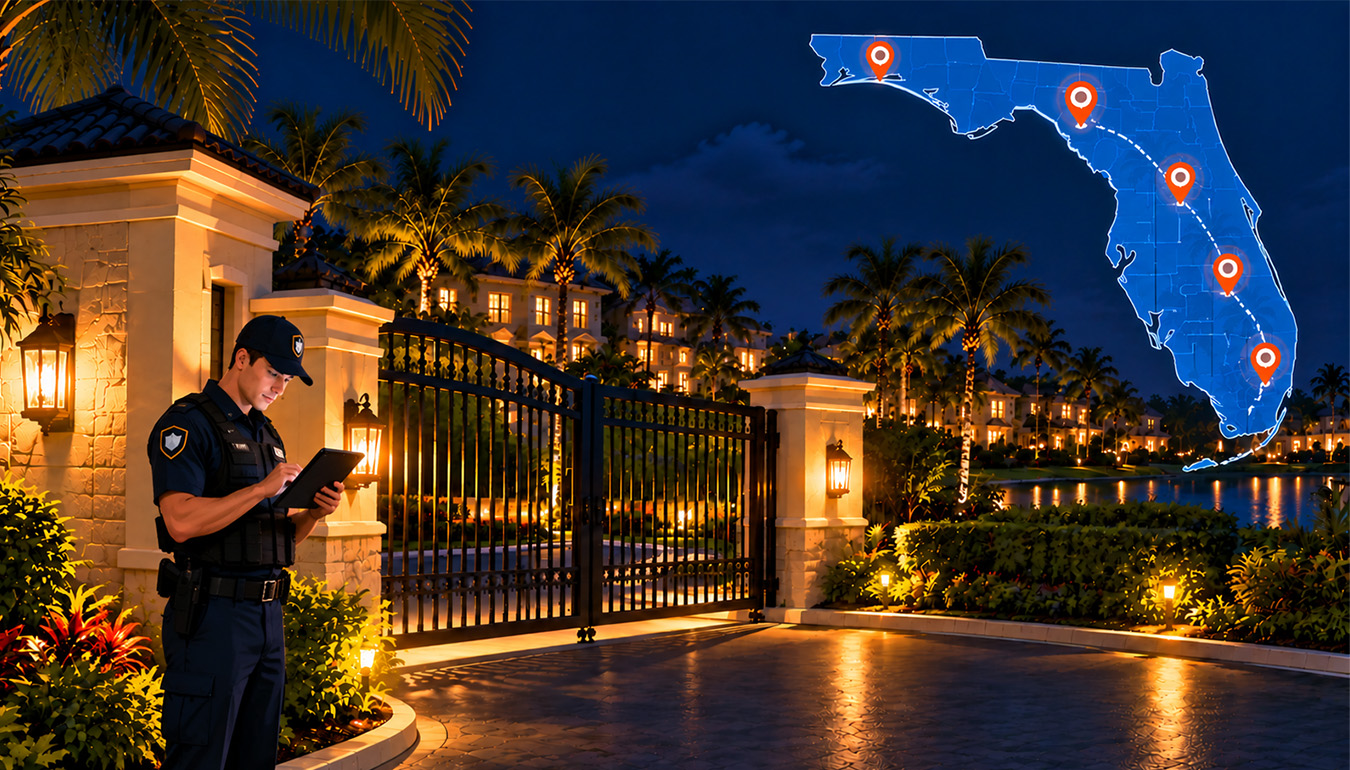
Gated communities employ GPS-enabled patrols to make sure guards do their rounds. The GPS records the guard’s location and time at each checkpoint, providing the manager with a clear record of the patrol.
Two former Florida Highway Patrol officers have been charged in 2026, and an investigation showed the pair billed the Champions Gated community while off duty. One officer was reported to have been at work only on 10 of the 19 days she charged the community. The second officer was accused of submitting bills for 60 days and then charging more than $15,000. Vehicle tracking helped locate the officers and where they really were.
This type of problem can be avoided through GPS-verified patrols. They record the time and location of each guard to visit a checkpoint. Managers can also view missed checkpoints, photos, and incident reports.
This is necessary in Florida, with an estimated 50,600 community associations and 10.9 million residents. Community associations account for nearly 35.2% of housing in the U.S.
What Is GPS Guard Tour Verification?
GPS Guard Tour Verification is a digital system that confirms security officers visit assigned locations during scheduled patrols.
A guard uses a mobile device to follow a route and check in at specific locations. For example, a patrol line may consist of the primary access point, emergency gate, border fence, parking area, community house, swimming pool, and mailbox. Every checkpoint might possess particular guidelines such as whether the gate was closed, looking for damage, or reporting anything unusual.
This system produces digital patrol reports that include the checkpoints, the rounds, and the checked results. Reports and patrol activities can be seen by the supervisor, HOA teams, and Florida community associations.
Why Paper Patrol Logs Are Not Enough
Paper patrol logs can confirm that a guard signed off on a shift, but they can’t reliably confirm where the guard actually went or what they found.
Paper logs are easy to use, but they provide limited proof. A written entry may show that a guard signed a form, but it does not always confirm that the officer visited every location on the route.
Paper logs can be:
- Difficult to search.
- Separated from incident reports.
- Inconsistent formatting.
- Completed after the patrol.
- Difficult to read.
- Missing exact times.
How Security Operations Are Managed Today
Most Florida gated communities use different tools and manual processes for security. Each tool handles one task, but they don’t work together, which can make security work harder.
ABDi (Application by Design, Inc.) is a community management and security platform that gated communities use to manage visitor access and guardhouse operations.
Scheduling: ABDi/Existing Platform
Managers use ABDi or other scheduling software to assign guards to locations and shifts.
Incidents: ABDi + Manual Work
Guards report calls, notes, or emails to their supervisors.
Dispatch: Radio Log or Group Chat
Supervisors communicate via radio or group chat with guards and direct them to the places where assistance is required.
Visitor Log: Existing Entry System
Visitor names are documented, and times of entry and exit are noted, using the existing system for the community.
Reporting: ABDi Exports + Manual Work
Managers export data from ABDi, and then they create reports from that information manually.
ABDi Inc. (Applications by Design, Inc.) offers guard scheduling, shift assignment, incident logging, and reporting tools. Other security functions might involve different software or manual processes, which take extra effort. Whereas we offer an integrated security platform that combines scheduling, patrols, incidents, visitor management, dispatch, and reporting tools in one place with real-time information sharing.
How GPS Tracking Proves Patrols Happened
GPS tracking combined with checkpoint scans and timestamps creates a verifiable record that a patrol happened, rather than depending on an officer’s word alone.
A patrol generally works like this:
A supervisor creates a patrol route.
The route is assigned to an officer or shift.
The officer visits each required checkpoint.
The system records the location and time.
The officer answers inspection questions or uploads photos.
Supervisors receive alerts if a checkpoint is missed or delayed.
The completed route becomes part of a digital report.
Geofencing can create an approved boundary around each checkpoint. If an officer is outside the perimeter, then the system should either flag the activity or block it at the checkpoint.
GPS must be used with other forms of validation. The reason for that is the fact that buildings, climate, settings on devices, and quality of signal affect the accuracy of the location.
What a GPS Guard Tour System Tracks
GPS-Verified Checkpoints
The system should confirm that officers reached required locations during the scheduled patrol window.
Geofencing
Geofencing helps identify whether an officer entered the correct area before completing a checkpoint.
QR or NFC Checkpoints
Physical scans require officers to visit specific locations instead of simply marking an entire patrol as complete.
Route Scheduling
Managers should be able to create routes, assign shifts, set patrol times, and update instructions as community needs change.
Missed-Checkpoint Alerts
Supervisors should receive alerts when an officer misses, delays, or skips a checkpoint.
Required Inspection Questions
Questions help standardize patrols. Officers may need to confirm that gates are closed, lights are working, or fences are secure.
Photo Confirmation
Photos can document property damage, flooding, open gates, suspicious vehicles, or other concerns.
Digital Incident Reporting
Officers should be able to create an incident report directly from the patrol application and attach photos, descriptions, and follow-up details.
Live Security Dashboards
A live dashboard helps supervisors monitor active routes, completed checkpoints, missed locations, and reported incidents. CSA360 pairs live security dashboards with GPS-verified guard tours to give teams this type of operational visibility.
How Property Managers Can Monitor Patrols
Knowing where guards should patrol helps property managers understand their security coverage. They can see the key points, set up patrol routes, and know what to do if something comes up during their patrol.
These may include:
- Main and resident entrances.
- Visitor lanes.
- Emergency gates.
- Perimeter fencing.
- Parking lots.
- Pools and recreation areas.
- Clubhouses and fitness centers.
- Mail and package rooms.
- Construction zones.
- Areas with limited lighting or visibility.
Routes must consider risk, traffic, population density, and previous incidents. Besides this, managers may establish temporary checkpoints following situations such as extreme weather, major activities, construction, or security issues.
Supervisors have access to a dashboard that allows them to track live patrols and examine any checkpoints that have been missed during an ongoing shift. At the conclusion of the shift, supervisors review the routes taken, answers to inspections, any photographs taken, and reports on incidents that occurred during the patrol.
An important responsibility of the manager as a leader would be to develop specific escalation protocols. For example, supervisors may have to act if a checkpoint is missed, and a malfunctioning emergency gate would require immediately notifying the manager, maintenance staff, or emergency authorities.
How GPS Patrols Help Florida Gated Communities
GPS-verified patrols improve the response time, record-keeping, and visibility of each patrol for Florida gated communities.
Better Accountability
Property managers can compare scheduled patrols with completed patrols and identify missed routes or checkpoints.
Faster Response
If an officer discovers an open gate, damaged fence, suspicious activity, or flooding, the issue can be reported immediately.
Improved Storm Inspections
After hurricanes, tropical storms, or heavy rain, officers can inspect roads, fences, gates, lighting, pools, and emergency access points and document conditions with photos.
Greater Resident Confidence
Residents and HOA boards can receive clearer information about patrol activity instead of depending only on handwritten notes or verbal updates.
Consistent Patrol Standards
Digital post orders and required questions help officers follow the same inspection process across different shifts.
Better Security Reports
Managers can create reports for HOA meetings, security contractors, insurers, attorneys, or law enforcement when appropriate.
Easier Contractor Oversight
HOAs can review whether a security company completed the services required by its contract.
Stronger Incident Documentation
A patrol record can connect an incident to the officer, location, time, photos, and follow-up actions.
Conclusion
Florida gated communities need more than a paper log to show that a patrol was completed. They need to know who completed it, where the patrol happened, and when each checkpoint was checked.
GPS guard tour verification helps track patrol locations, checkpoints, timestamps, photos, alerts, and incidents. These records make it easier to see what happened during each patrol and follow up when there is an issue.
For HOA boards, security companies, and property managers, CSA360 brings GPS-verified guard tours, QR checkpoints, geofencing, and live reporting together to make patrol records easier to manage and security activity easier to track. To see how this could work for your community, contact the CSA360 team